
What the app does
ZenConstat follows the structure of the European accident statement and breaks it into short steps. Nothing is left out: at every step, the app shows what is required and what is optional.
- The accidentDate, time, place (with "Locate me"), injuries, damage to anything other than the vehicles, witnesses.
- Policyholders, drivers, vehicles and insuranceReusable profiles: a regular driver enters their details once and finds them again for the next report. Trailers included.
- The circumstancesThe boxes of the statement, the points of impact on the vehicle outline, the description and photos of the damage.
- The sketchThree ways to make it: with the tool (roads, vehicles, arrows, signs, markings), freehand, or by photographing a paper sketch.
- Remarks and signaturesEach driver reads it through, adds their remarks and signs on the screen. The PDF is created, protected against changes, then shared by email or messaging.
Alone on their phone
The driver fills in their part; the other driver fills in theirs on paper or on their own side.
One shared phone
Both drivers fill in the same report, one after the other, and each signs on the screen.
Each on their own
The phones pair with a code. Each driver fills in their part, the server joins them into one document, then deletes them within the hour.
ZenAssistant : the report filled in through conversation
After an accident, many drivers are shaken and struggle to fill in a form. ZenAssistant asks them the questions one by one, in their own language, and fills in the report from their answers.
Speak instead of typing
The driver can dictate their answers. They tell the story in their own words; the assistant works out the circumstance boxes and the sketch.
Photograph instead of copying
Insurance certificate, registration document, driving licence: one photo is enough, the assistant reads the document and fills in the matching fields.
No question forgotten
The assistant follows the order of the report. The server checks every answer: if a required question (the place, for example) is skipped, the answer is redone before it is shown.
The driver stays in control
Each section is shown for checking before it is saved, and the sketch is approved or corrected by the driver. Nothing is signed without being read.
The assistant can make mistakes, just like a badly filled-in form. That is why the app never lets it decide on its own: the information only counts once the drivers have read it and signed, as on a paper report.
Sketches for every situation
These sketches were drawn by the app; almost all of them come from our tests, from nothing but the drivers' accounts, in different languages and countries. Roads, lanes, the side of the road traffic keeps to, signs and street names come from the description and the place of the accident; each arrow shows the vehicle's path and ends in the middle of the lane it was heading for.
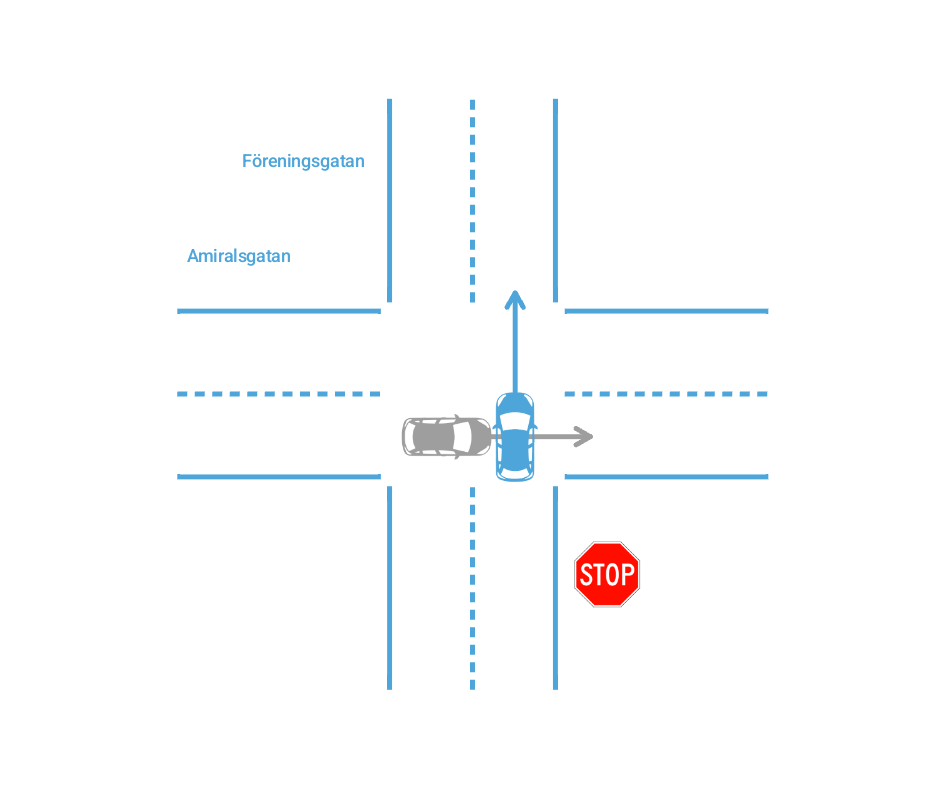
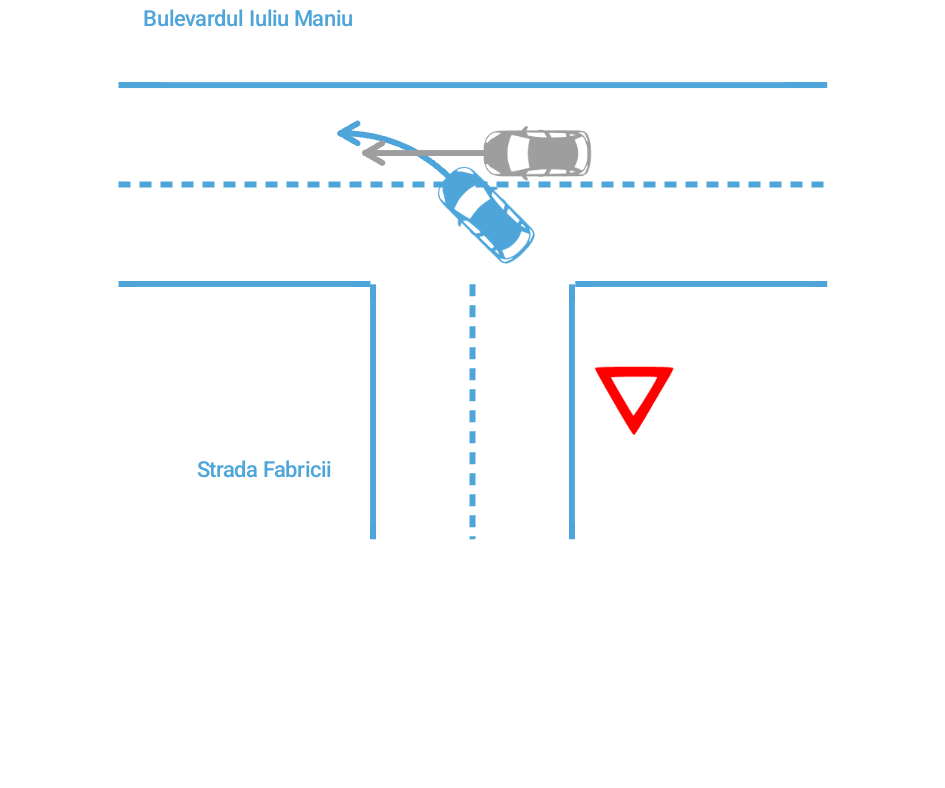
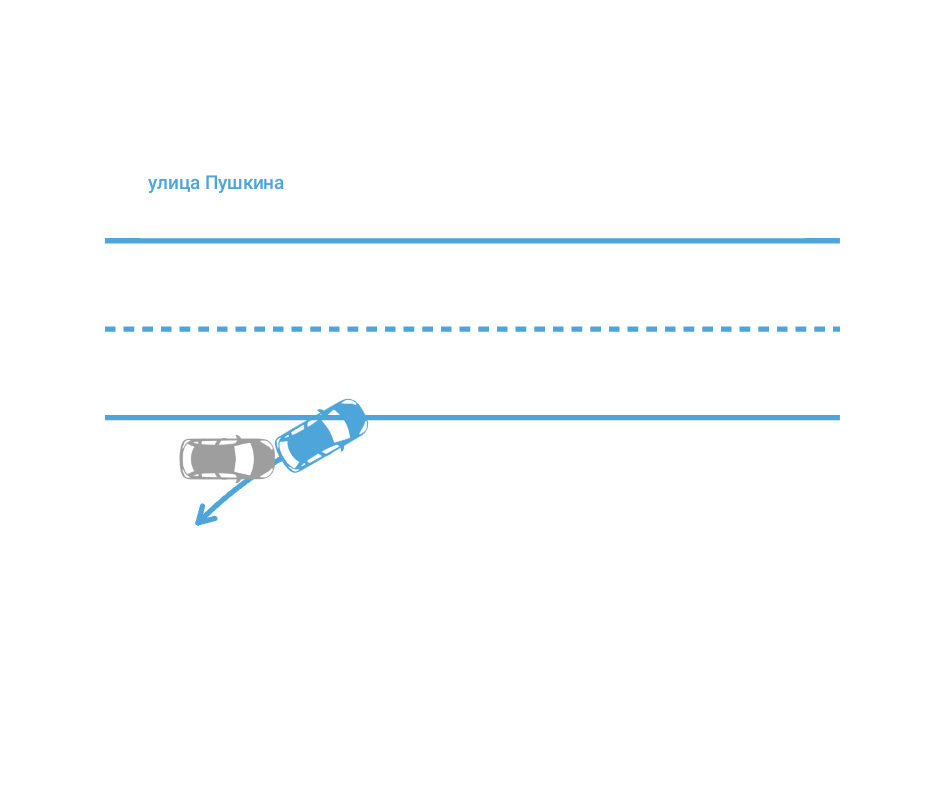
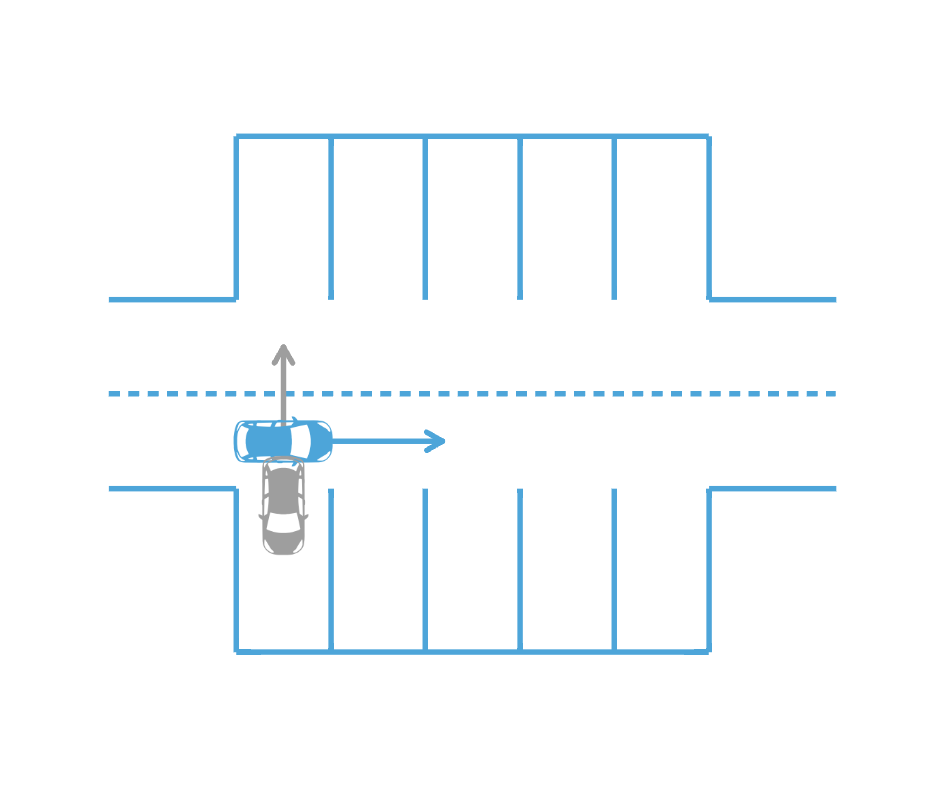
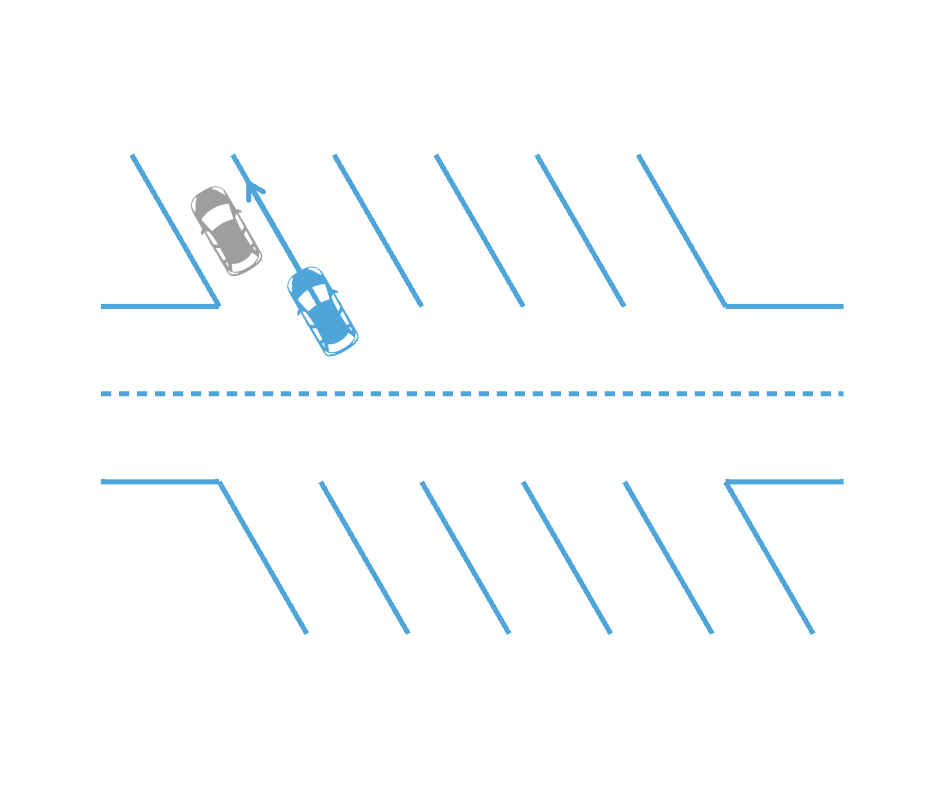
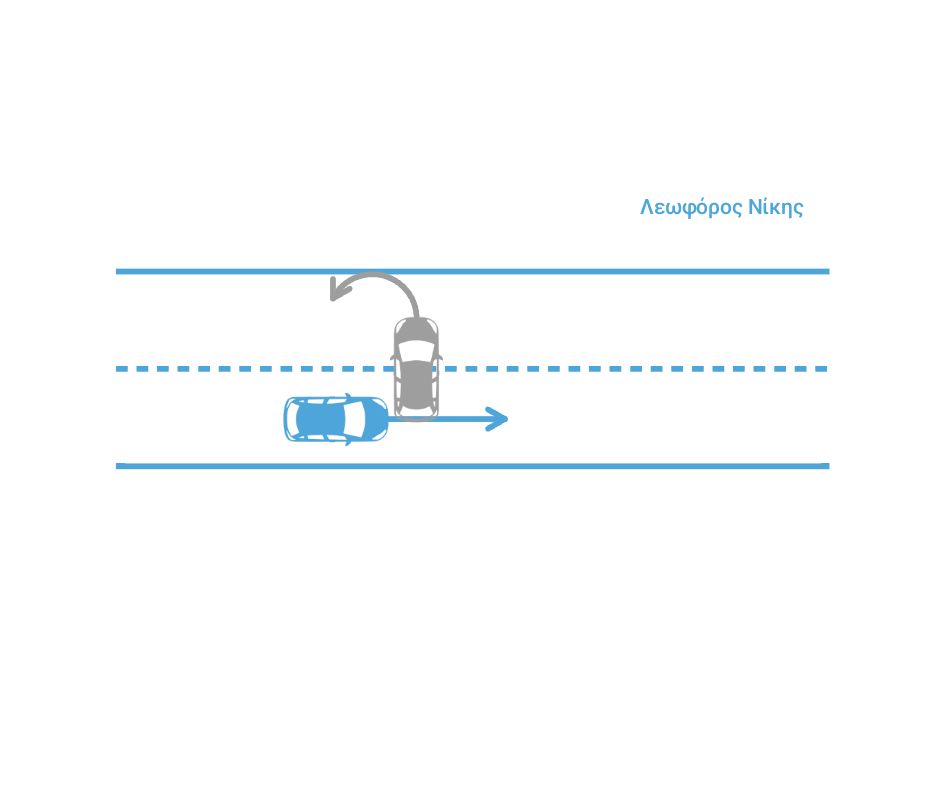
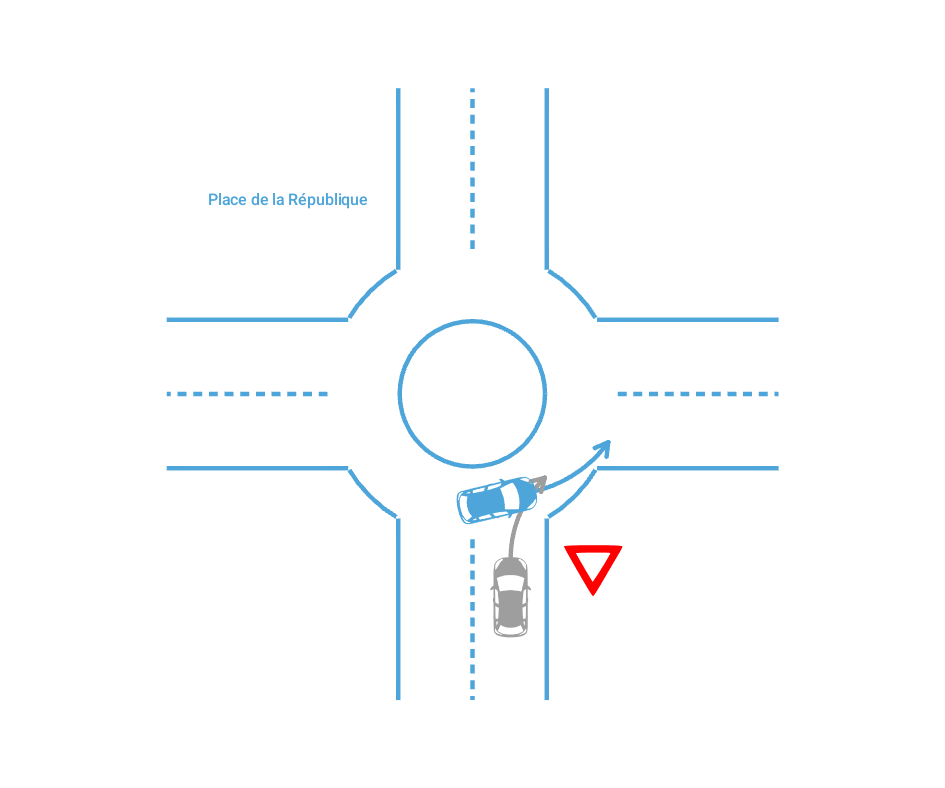
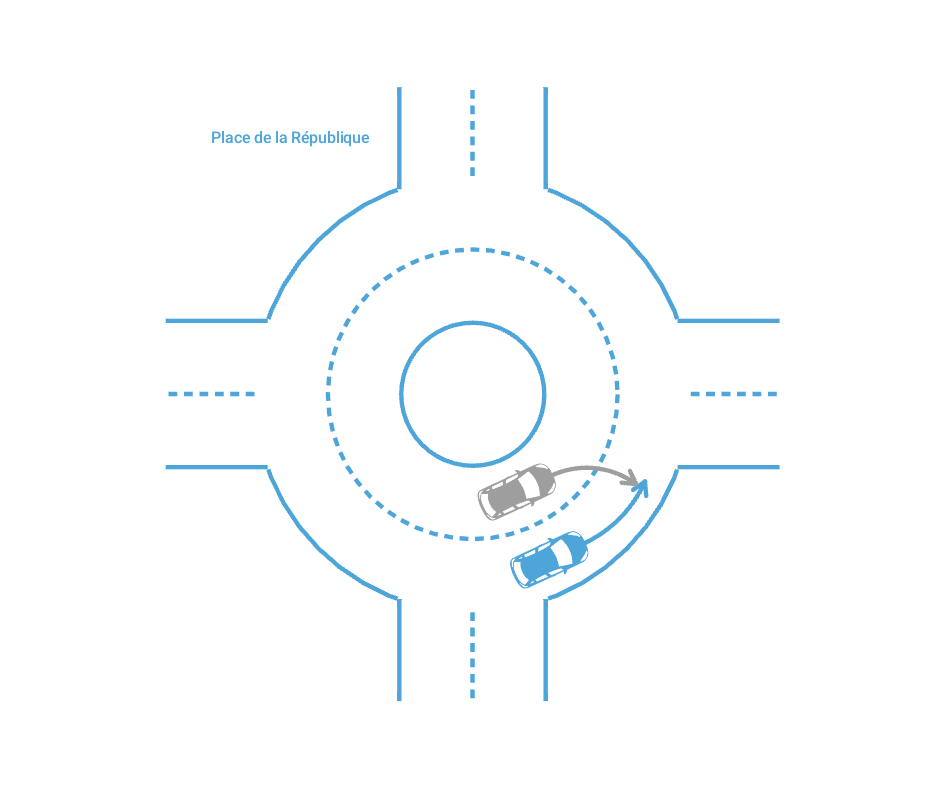
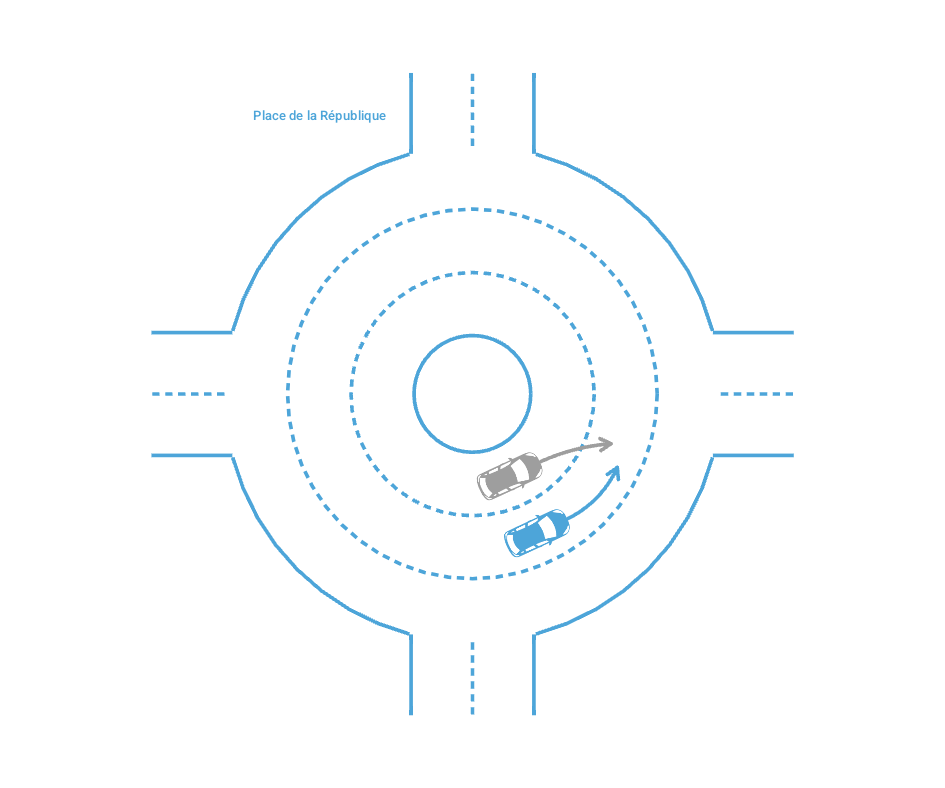
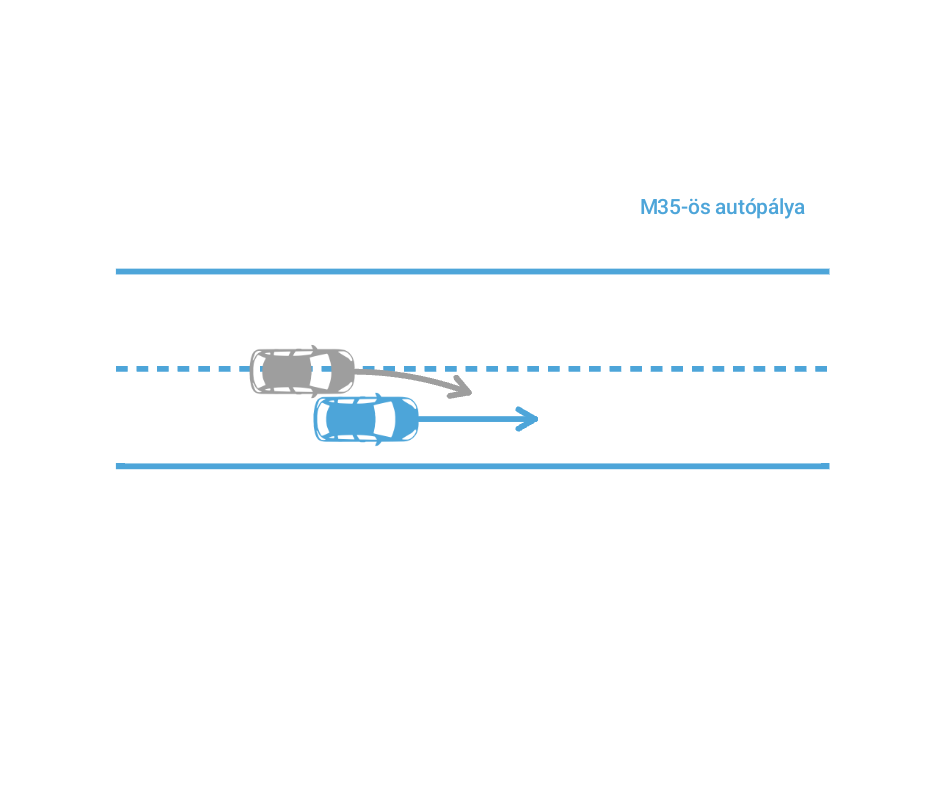
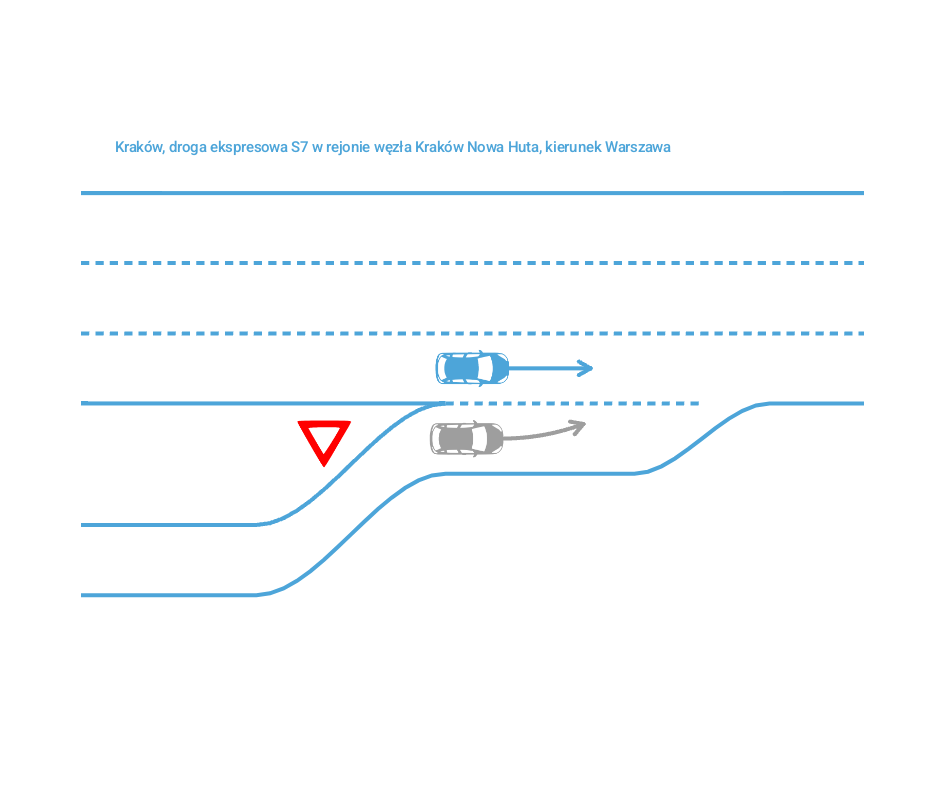
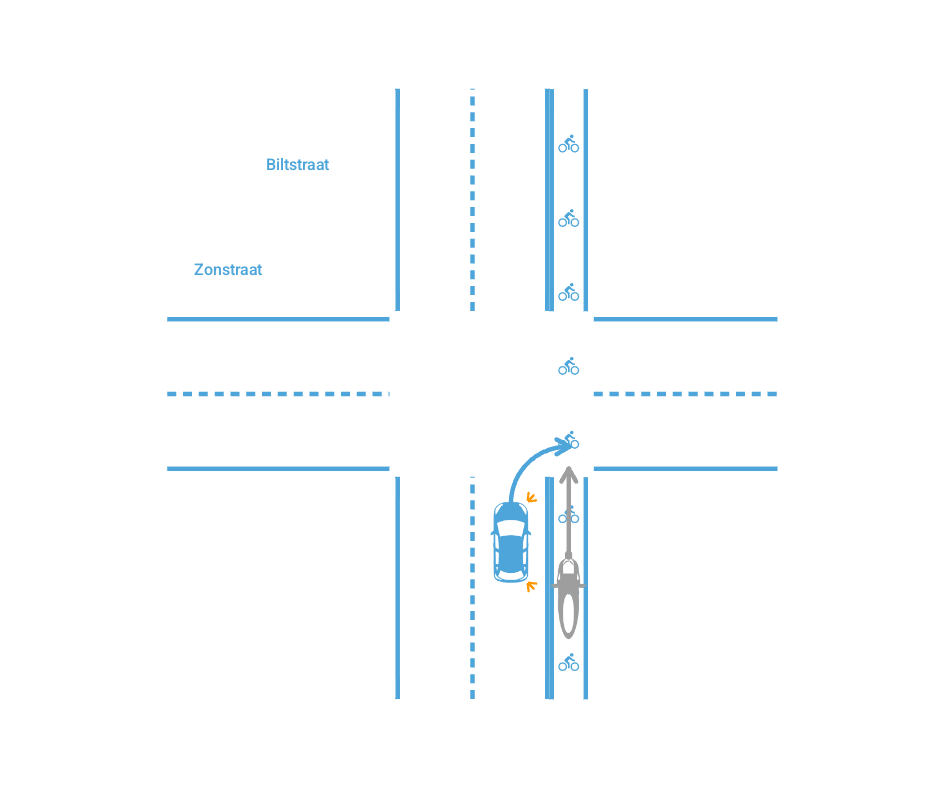
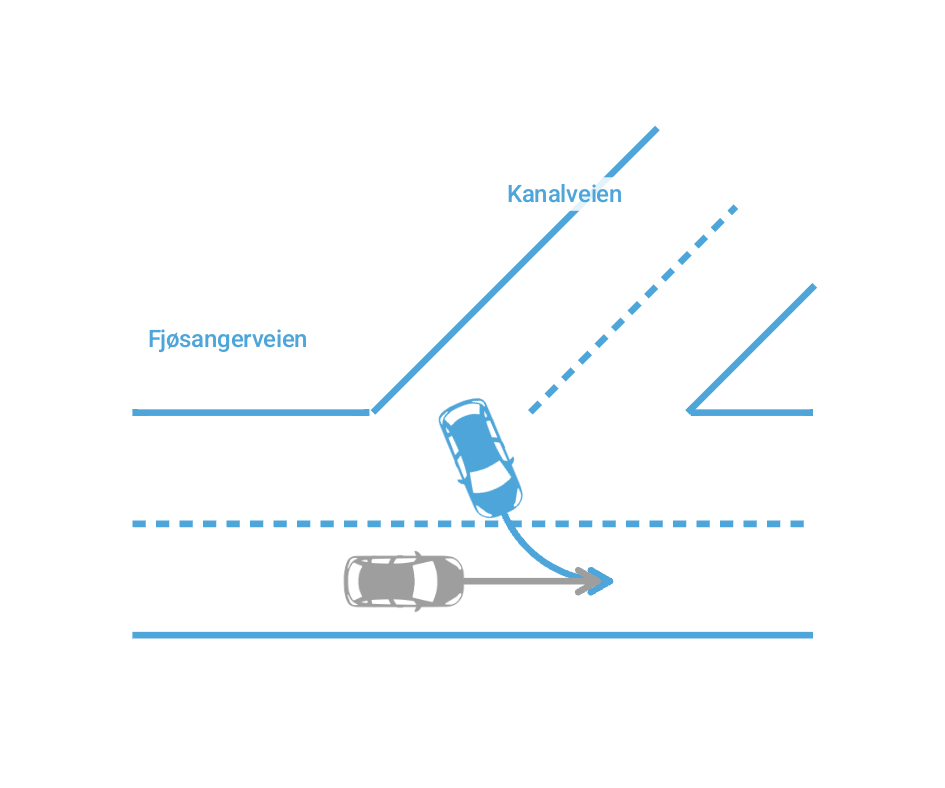
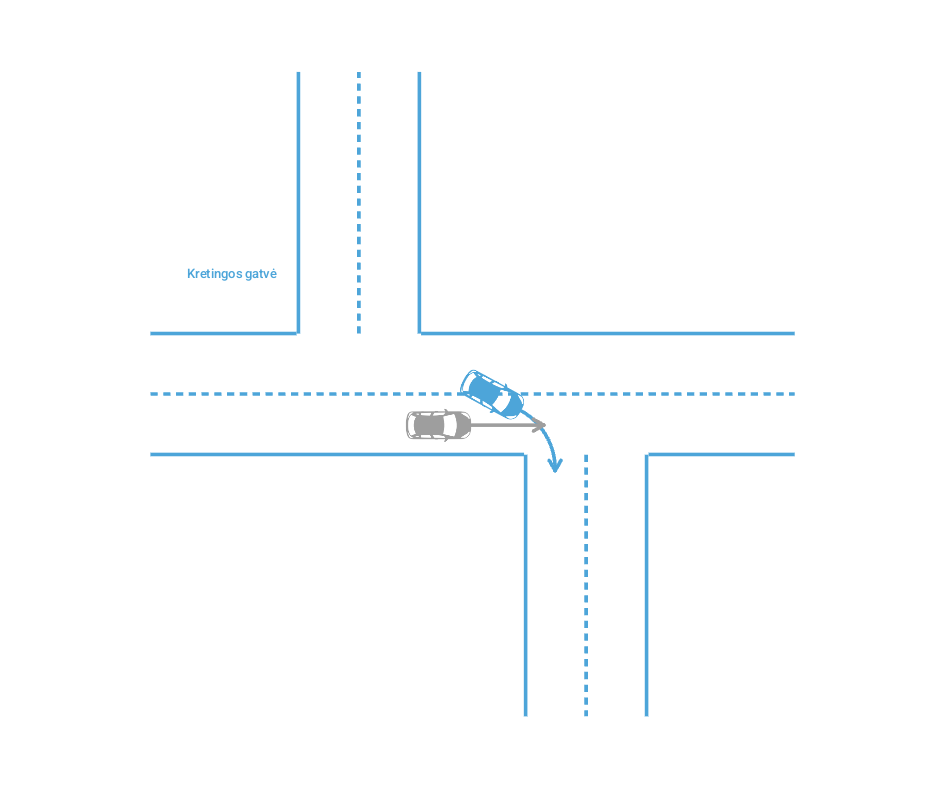
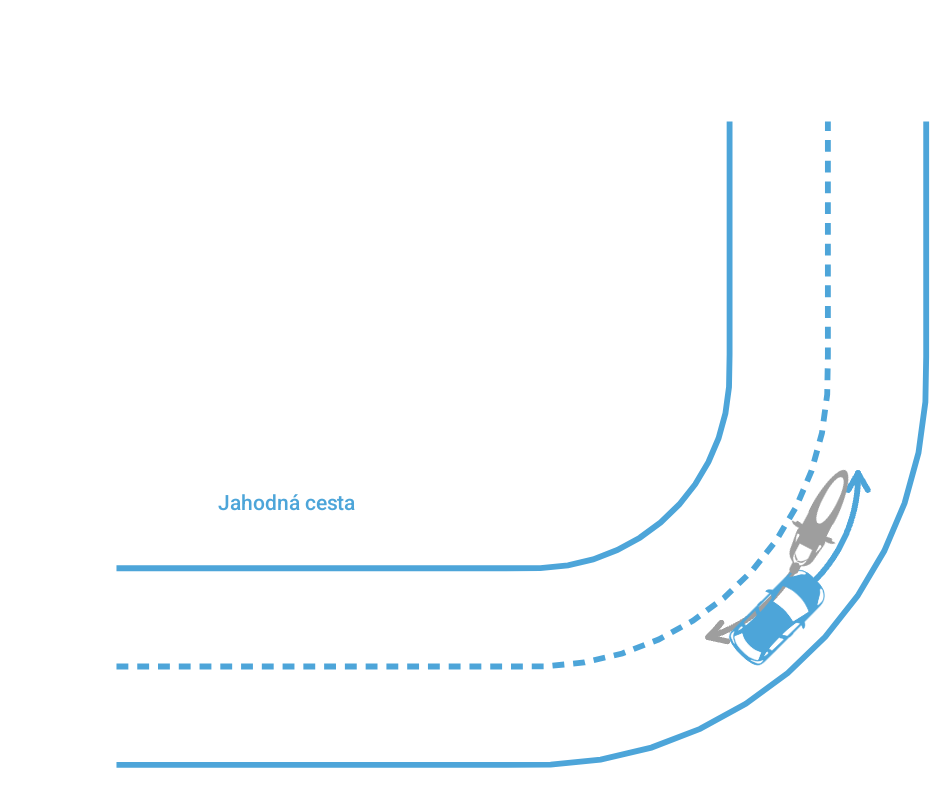
If the sketch isn't right, the driver describes it differently to the assistant or corrects it themselves with the sketch tool.
A real accident report, produced by the app
This is the document both drivers receive: the official accident statement, filled in and signed, with the sketch in its place. The people, vehicles and insurers are fictional. Zoom in to read every box.
What you gain
- Complete reports. Required fields are checked before signing: fewer incomplete reports, fewer follow-ups.
- Readable documents. A typed PDF, no handwriting to decipher, on the European accident statement form.
- Consistent sketches. Lanes, traffic direction, paths and point of impact drawn cleanly, consistent with the ticked boxes.
- Accidents between drivers who speak different languages. Each driver uses the app in their own language; the document is produced in the chosen language.
- A locked document. Once created, the PDF is protected against changes.
- Faster claims. The driver can send the PDF to their insurer from the scene of the accident.
Personal data
The app was designed to keep as little data as possible. Privacy policy
On the phone
No account. Profiles and the report in progress stay in the app's private storage. The report in progress is deleted as soon as the PDF is ready.
Two-phone mode
Encrypted exchanges, server hosted in the European Union. The parts of the report are kept in memory for 60 minutes at most, never in a database.
ZenAssistant
Optional. Messages and photos are processed by the AI model (Anthropic) without being used to train it; our server keeps none of them.
Statistics
Only the country of the accident, the mode and the time are recorded, anonymously, to know where the app is used.